
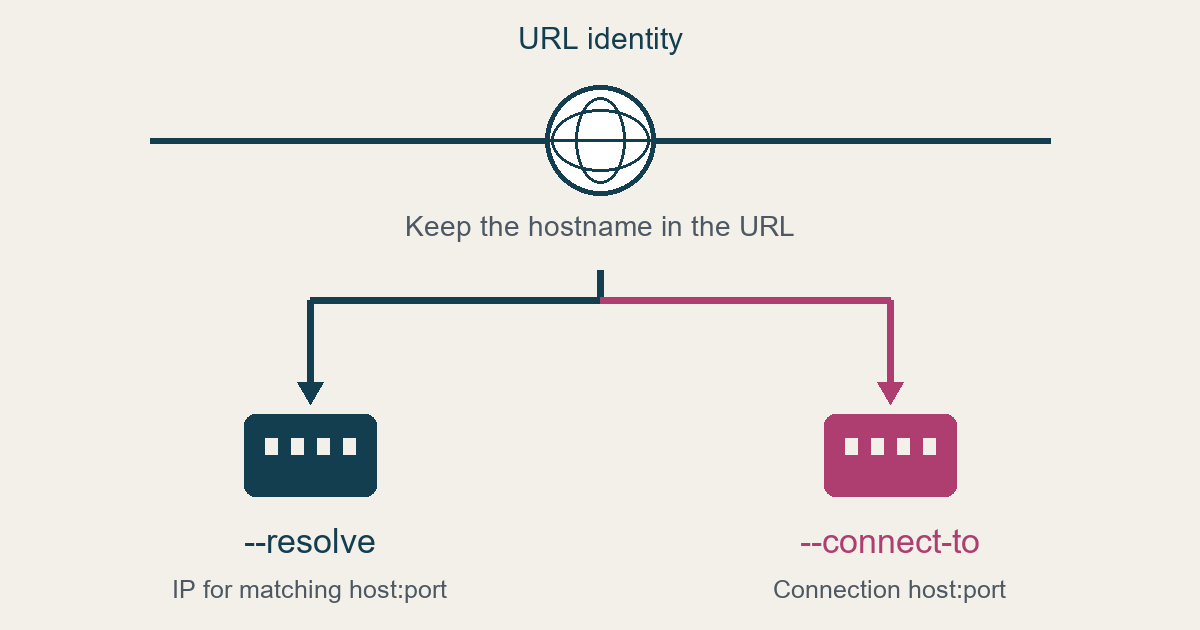
Use --resolve for a known IP address; use --connect-to for another connection hostname or port. Preserve the intended URL.
An IP override
Documented CLI example, not executed: curl --resolve example.com:443:192.168.0.1 https://example.com/
This inserts a DNS-cache mapping for example.com:443. A port-80 entry would not match. See the curl connection documentation.
A replacement connection host
Documented CLI example, not executed: curl --connect-to www.example.com:80:load1.example.com:80 http://www.example.com
This resolves load1.example.com for the connection while retaining www.example.com as the URL identity. See the documented CLI example.
The HTTPS boundary
Changing Host alone is insufficient for HTTPS: curl derives SNI from the URL. See the HTTPS explanation.
The libcurl API documents destination-port replacement and unchanged TLS and application-protocol identity. CURLOPT_CONNECT_TO does not prepopulate the DNS cache. These API semantics are separate from the CLI examples; no C integration was tested. See CURLOPT_CONNECT_TO.
Verify the intended outcome
Editorial recommendation: For an authorized target, record the intended URL and permitted destination before testing. Assess the connected peer, TLS validation and application result separately. Preserve failures rather than weakening verification to obtain a response.
For separate server-fetch safety questions, consult the SSRF review worksheet.
Sources captured October 26, 2026. Neither command was run; local behavior remains unverified.

